
A certificate is a lasting symbol of achievement — framed on a wall, shared on LinkedIn, attached to a job application. Its visual quality reflects on your organization, whether you like it or not.
Designing one properly takes more than making it "look nice" in Canva. You need to think about aspect ratio, vector scalability, how your text behaves with variable-length names, and where the QR code sits.
Here's how to design certificate templates that hold up — on screen and in print.
1. Pick the Right Canvas Size
Stick to standardized dimensions for digital and printable credentials:
- Landscape (recommended):
1920 × 1080(16:9) or2000 × 1414(A4 landscape ratio). Renders crisp on mobile and LinkedIn, and still prints cleanly at standard sizes. - Resolution: Minimum 300 DPI if anyone's going to print a physical copy.
2. Plan for Variable Text Length
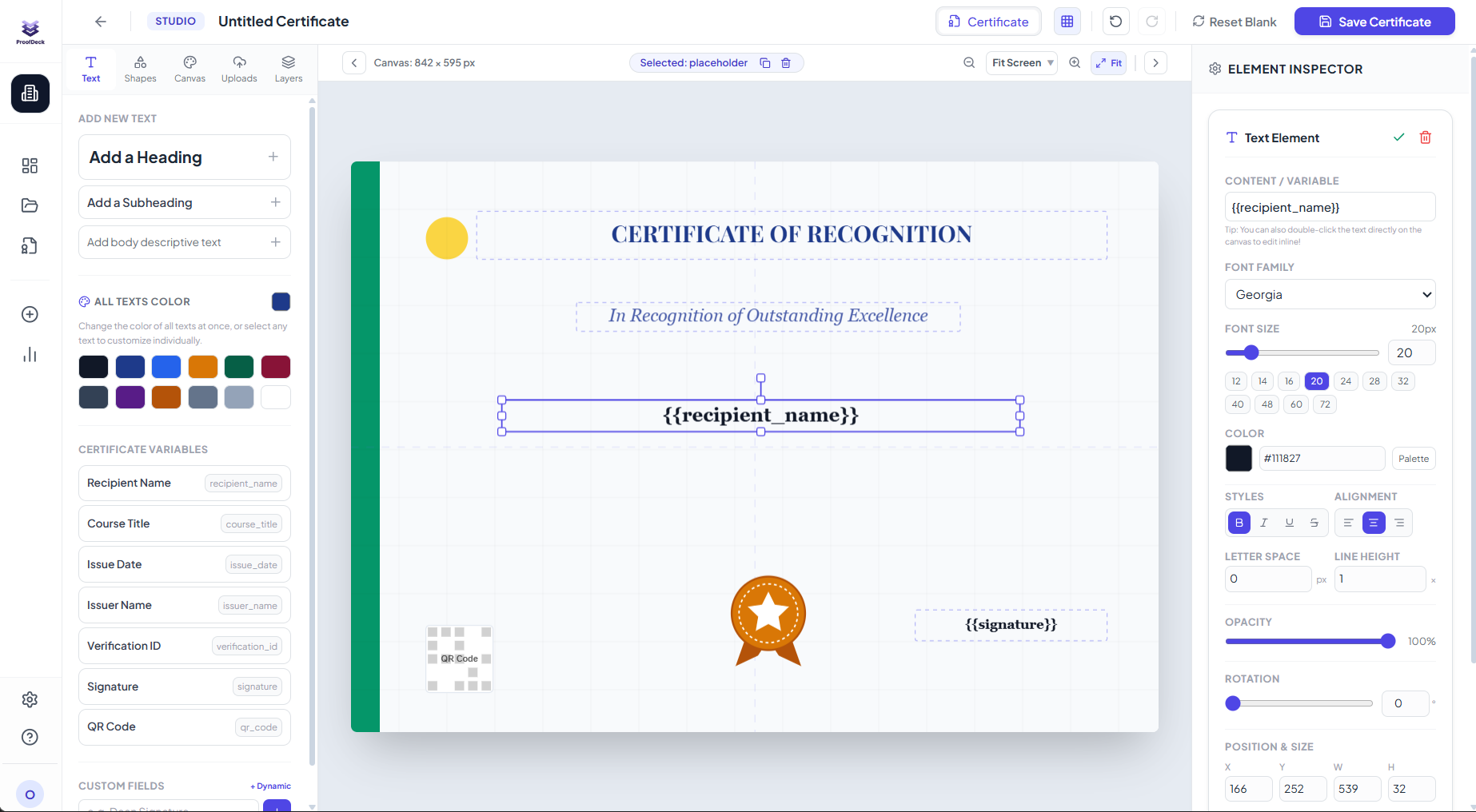
Names aren't all the same length. In the ProofDeck Visual Editor, design for the extremes, not the average:
{{recipient_name}}: Some names are short — Ada Lovelace. Some aren't — Alexander Maximilian Montgomery. Center-align it and leave at least 20% horizontal padding so long names never clip the border.{{issue_date}}and{{certificate_id}}: Lower corners, small sans-serif, secondary to the name.
3. QR Code Placement and Contrast
The QR code is the core of ProofDeck's fraud-prevention — it needs to scan on the first try, every time.
- Size: Minimum
120 × 120pixels. - Contrast: Solid, light background only — pure white or
#F8FAFC. Never put it over a textured watermark. - Clear zone: At least 15px of whitespace around it so a phone camera locks on instantly.
4. Keep Typography Tight
Two font families, max:
- Header / recipient name — a formal serif, script, or modern display font (Cinzel, Playfair Display, or Plus Jakarta Sans Bold all work).
- Body and metadata — a clean sans-serif (Inter, Plus Jakarta Sans) for descriptions, signatures, dates.
5. Test Before You Send
Before issuing to hundreds of people:
- Use Preview with Sample Data.
- Check how the longest name in your roster actually renders.
- Scan the test QR code with your own phone and confirm it lands on the ProofDeck Verification Portal.
Ready to build a template that doesn't look like it came out of a template pack? Explore ProofDeck's Template Builder and start for free.